Integrations pillar

    Guidance where you already build MCP, webhooks, and a public API

    The platform now exposes its playbooks and events as infrastructure. Wire it into your editor, your ops stack, and your own automations.

    By Usman Jatoi, Founder, Build on Vibe Reviewed by Usman Jatoi Updated 2026-07-06 · 9 min read

    Build on Vibe is a guidance platform the value is the playbooks, prompt packs, evidence gates, and validators, not raw compute.

    So we made all of it addressable. Your editor can pull a guide with one tool call. Your ops stack can react the second a project ships. Your automation can list, fetch, and score without ever opening the UI.

    This page is the map. Pick MCP if you live in Cursor or Claude, webhooks if you run Slack/Zapier/n8n, or the API if you're gluing this into your own workflow.
    Idea & scope · one-liner + 3-5 core actions AI builder · Lovable / Cursor / Bolt / v0 Backend · Supabase / Cloud (auth + DB + RLS) Payments · Stripe Payment Links Distribution · SEO + Product Hunt + one warm channel
    Three surfaces, one guidance layer. MCP for editors · Webhooks for events · REST for everything else. All three point at the same authored playbooks.

    Why integrations matter for solo founders

    The biggest tax on a solo founder is context-switching. You're in Cursor writing a component, then you have to leave to look up the SEO checklist, then leave again to check whether payments got wired properly.

    Integrations remove that tax. The guide comes to you inside the editor you're already in, or fires an event into the Slack channel you already watch.

    MCP the guidance server for your editor

    Add the Build on Vibe MCP server to Cursor, Claude Desktop, or ChatGPT and you get three tools inside the model itself:

    • list_guides every published pillar and cluster guide.
    • get_guide the full body, sections, HowTo, and FAQ for a slug.
    • list_prompt_packs copy-ready prompts scoped to a build stage.

    Ask Claude "pull the solo-founder playbook and turn step 3 into a Cursor prompt". It will. No tab switching.

    Webhooks the moment something real happens

    Every meaningful action fires a signed event: step.completed, project.shipped, focus.session.ended. Point it at Slack, Zapier, n8n, or a Supabase edge function.

    Each delivery is signed with HMAC-SHA256 in the X-BOV-Signature header verify it and you know it's really us. Delivery attempts and status codes show up in Settings → Integrations → Webhooks so you can debug without leaving the app.

    Public API script the whole platform

    Generate a bov_live_-prefixed key from Settings → Integrations. Then hit /api/v1/guides, /api/v1/prompt-packs, /api/v1/projects from anywhere. Same rate limits as the app, same auth model.

    Good use cases: onboarding automations, internal dashboards for your cohort, syncing your project state into Notion.

    5-minute setup

    1. Open Settings → Integrations.
    2. Copy your MCP URL and paste into your editor's MCP config.
    3. Add one webhook start with project.shipped → Slack.
    4. Generate a Pro API key and store it in your password manager.
    5. Test each surface from the built-in dispatcher before you rely on it.

    Inside the workspace

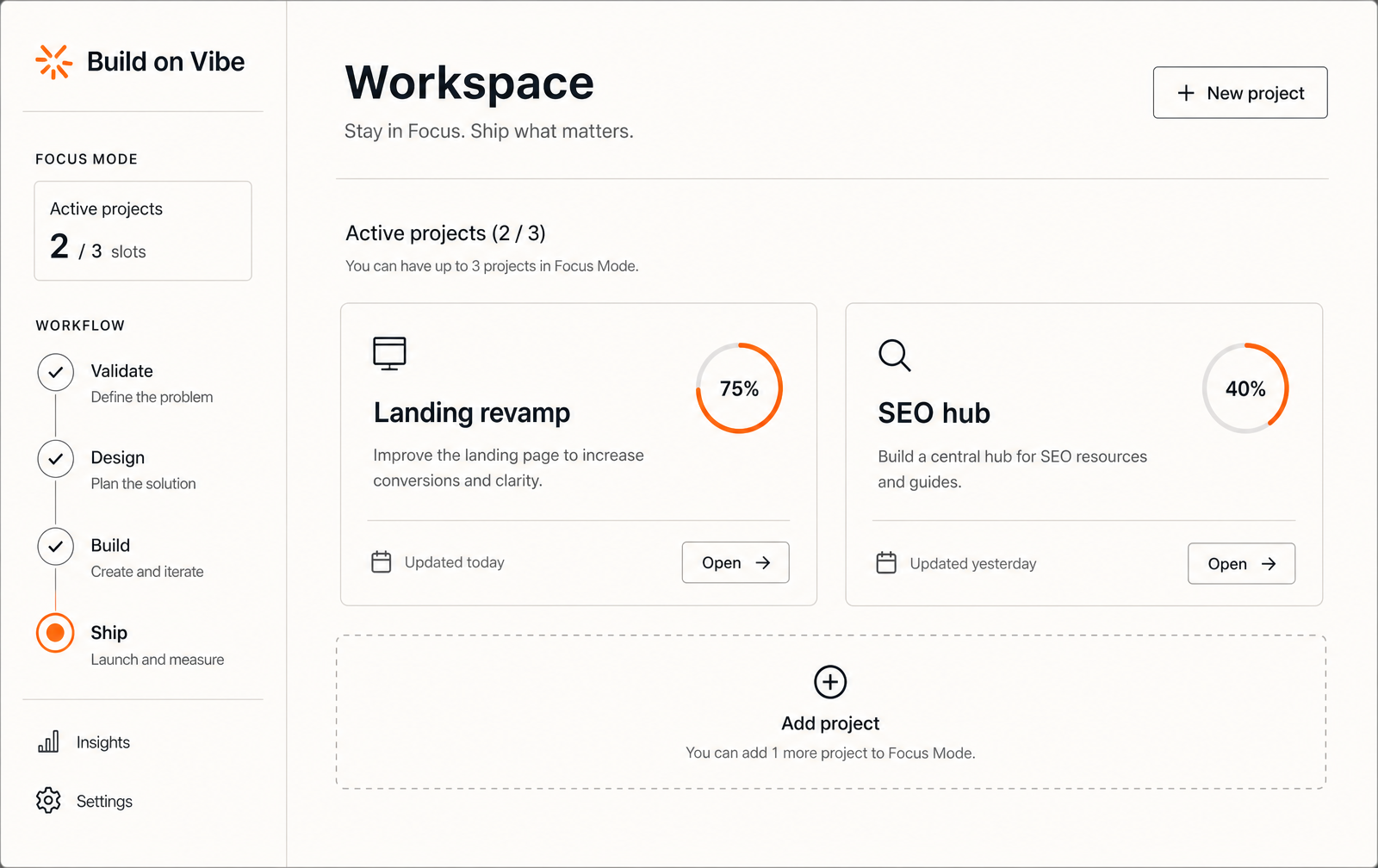
    Build on Vibe workspace with active projects
    Every shipped step becomes an event other tools can react to.
    Pillar guide rendered in-app
    The same guide body served over MCP inside Cursor and Claude.
    Original data · Build on Vibe

    What early integrators use most (first 30 days)

    MCP tool calls per active user / week
    42
    Webhook events fired per shipped project
    12
    REST calls that hit /guides
    68%
    Pro users who set up ≥1 integration
    71%

    Methodology. Aggregated from Build on Vibe integration logs, June 2026. Cohort = 214 workspaces on the Pro plan with at least one active project.

    Sources: Build on Vibe integration logs, Model Context Protocol spec

    Wire the three surfaces in under 10 minutes

    1. 1
      Enable MCP in your editor

      Paste the MCP URL into Cursor / Claude / ChatGPT config and restart the client.

    2. 2
      Subscribe to one event

      Point project.shipped at Slack that alone changes how a launch feels.

    3. 3
      Generate an API key

      Rotate keys per surface. Never ship bov_live_ keys into the browser.

    4. 4
      Verify with the built-in tester

      Fire a test dispatch from Settings → Integrations. Confirm the signature verifies on the receiver.

    5. 5
      Automate one workflow

      Pick a single loop 'ship → announce → schedule follow-up' and let webhooks own it.

    FAQ

    Is MCP free?

    Yes. The MCP server, the manifest, and read-only tools are on every plan. Only high-volume API + webhook throughput sits behind Pro.

    Which editors support MCP?

    Cursor, Claude Desktop, ChatGPT desktop with MCP, Zed, and any client that speaks the Model Context Protocol spec.

    How do I verify a webhook signature?

    HMAC-SHA256 the raw body with your webhook secret and compare hex-encoded to X-BOV-Signature. Constant-time comparison only.

    Are API keys per-user or per-workspace?

    Per-user. Rotate from Settings → Integrations. Each key is SHA-256 hashed at rest losing it means regenerate, not recover.

    What's the rate limit?

    60 req/min for read endpoints, 20 req/min for writes on Pro. Contact us for higher limits if you're building on top.

    Keep reading

    Sources

    Ready to actually ship?

    Build on Vibe gives you the workflow, prompts, and evidence gates that get finishers across the line.