This is the workflow we teach every new Build on Vibe user. It's boring on purpose every trick here is one we watched hundreds of finishers converge on.
Tutorial · 6 min read
How to vibe code (the practical version)
Not the theory. The exact loop that gets a beginner from empty page to deployed URL in a weekend.
By Usman Jatoi, Founder, Build on Vibe Reviewed by Usman Jatoi Updated 2026-07-05 · 6 min read
Before you start the session
Write two sentences: what you'll change and how you'll know it worked. If you can't, don't open the builder you'll thrash. This is the single highest-use habit.
The session loop
- Prompt (one small change).
- Run.
- Read the output this is the step everyone skips.
- Refine or roll back.
If a prompt didn't do what you wanted, don't send a longer prompt. Undo, and send a different short one.
Prompts that work
Use the four-part shape (see diagram): role → goal → constraints → evidence you'll accept. The evidence part is what beginners always leave out. ‘Return the diff and a screenshot of the button' saves you 30 minutes per session.
Inside the workspace
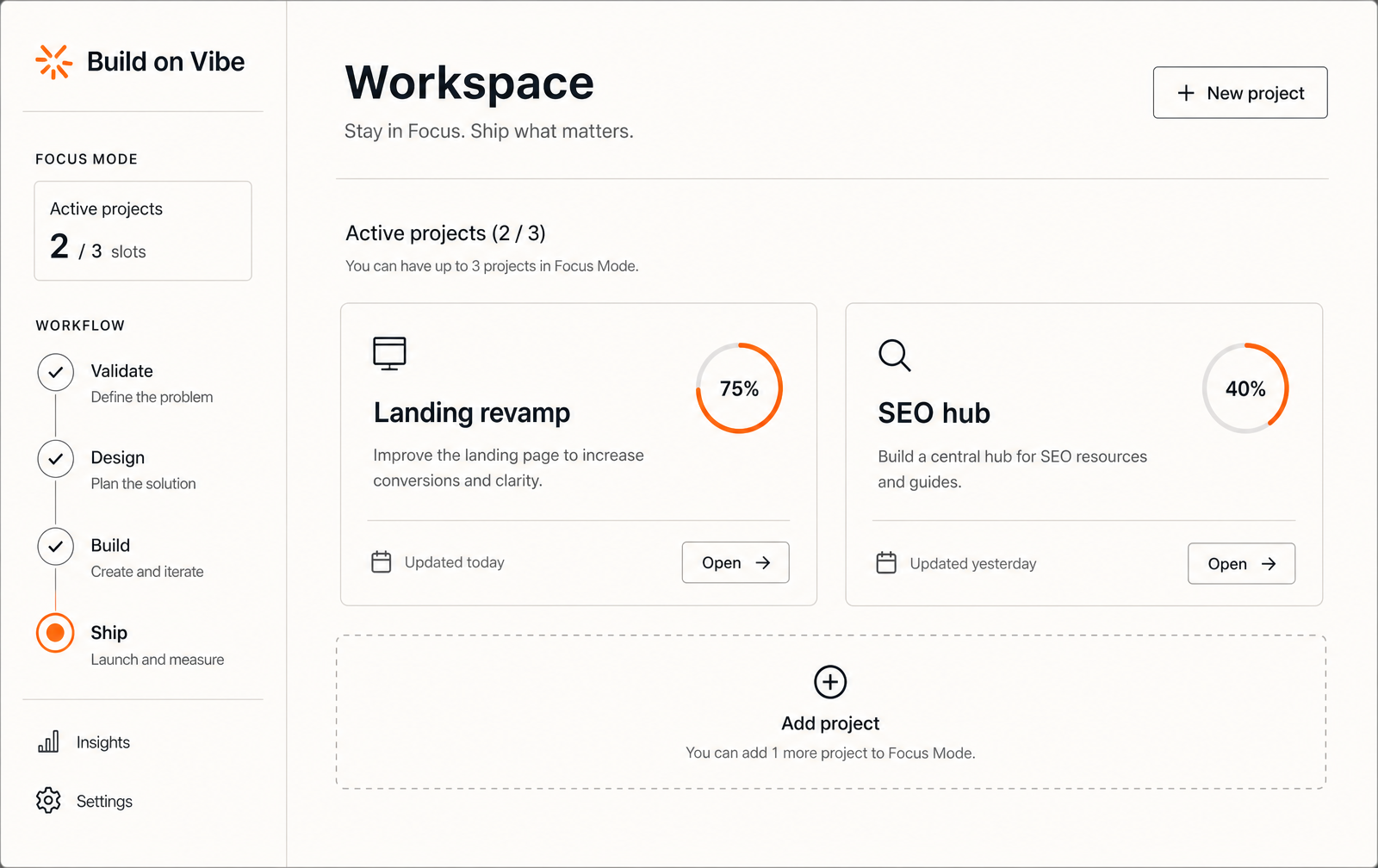

Original data · Build on Vibe
Session hygiene that predicts finishing
- Median session length of finishers
- 84 min
- Median prompts per session (finishers)
- 22
- Median prompts per session (abandoners)
- 51
More prompts → less thinking → more mess
Methodology. Build on Vibe telemetry, 2026 H1, n=412 users.
Sources: Build on Vibe cohort dashboard
Your first 5 sessions
- 1Session 1 Skeleton
‘Build a landing page + auth + one create action.' Deploy.
- 2Session 2 Data model
‘Add table X with fields Y. Enable RLS. Add policies for owner-only read/write.'
- 3Session 3 Core action
‘When the user submits the form, insert a row and show it in a list.' No dead buttons.
- 4Session 4 Payments/email
Stripe Payment Link. Transactional email from your domain.
- 5Session 5 SEO + polish
Real title, real meta description, JSON-LD, sitemap, favicon.
FAQ
How long should one session be?
60-90 min. Longer than that and prompt quality collapses.
What if the AI keeps breaking the same thing?
You're prompting in circles. Undo everything since the last known-good deploy, screenshot the current state, and describe the change from that baseline.
Which builder is easiest to start with?
Lovable if you want a full deployed app; v0 if you're focused on UI screens.
Keep reading
Sources
Ready to actually ship?
Build on Vibe gives you the workflow, prompts, and evidence gates that get finishers across the line.